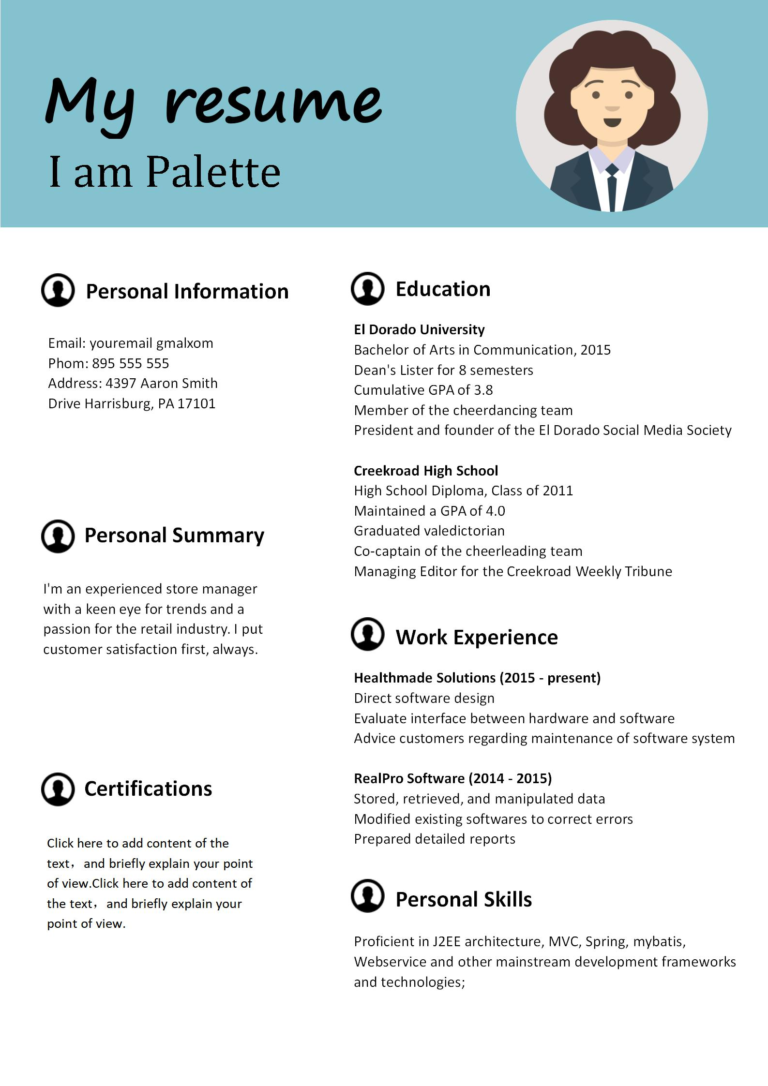

How to Find Resume Keywords in a Job Posting (and Use Them Without Stuffing)
If you have ever searched how to find keywords for resume from job posting, here is the short answer: copy the posting into a document, highlight the nouns and phrases that repeat, and keep the 10 to 12 that match skills you can prove. Those repeated words are the resume keywords — the skills, tools, and qualifications the employer wrote down because they plan to screen for them. Use them in your headline, your skills line, and your achievement bullets, and leave the rest out.
Most job seekers get this backwards: they either send the same generic resume to every job, or they paste the whole posting into their resume and hope the software is fooled. Neither works — the first looks irrelevant, the second reads like a word salad to the human who eventually opens it. The method below takes about ten minutes per application, and it works for both audiences: the applicant tracking system (ATS) that scans for matches, and the human who reads what survives the scan.
How Do You Find Keywords for a Resume From a Job Posting?
Work through the posting in four passes. Do not start by editing your resume — start by reading the posting like a detective.
Step 1: Copy the posting into a blank document. Paste the full job description, not just the title. Include the “requirements,” “responsibilities,” and “nice to have” sections, because keywords hide in all three. The title alone might say “Customer Service Associate,” but the body will tell you whether they actually want complaint handling, CRM software, or upselling — three very different jobs.
Step 2: Highlight every word or phrase that repeats. Read through slowly and mark any skill, tool, qualification, or duty that appears more than once. Repetition is the employer’s way of underlining. If “data entry,” “Excel,” and “attention to detail” each appear three times, those are not decoration — they are the screening criteria. Also mark the exact phrasing: if the posting says “customer onboarding,” use “customer onboarding,” not your synonym “client induction.” Matching the employer’s own words is half the game.
Step 3: Sort your highlights into three buckets. First, must-have skills: the things listed under “required” or “essential.” Second, tools and systems: software, platforms, and certifications, like Salesforce, Tally, or a driving licence. Third, proof words: the action verbs and results language the posting uses, such as “resolve,” “coordinate,” “reduce wait times,” or “meet daily targets.” This sorting matters because it stops you from treating every repeated word as equal. A must-have skill belongs in your headline; a nice-to-have tool belongs in your skills line; a proof word belongs inside a bullet.
Step 4: Cut the list to 10 to 12 keywords you can prove. Cross out anything you cannot back up with experience, a project, coursework, or training. A keyword you cannot prove is a trap: it might get you past the software, but it will collapse in the interview when someone asks, “Tell me about a time you used that.” Ten honest keywords beat thirty borrowed ones every time.
What Counts as a Keyword — and What Does Not?
Not every repeated word deserves a place on your resume. Real resume keywords fall into four types: hard skills (“inventory management”), tools (“Zendesk”), qualifications (“B.Com degree”), and job-specific duties (“cash reconciliation”). Generic filler words do not count, no matter how often they appear — “dynamic,” “hardworking,” and “team player” appear in almost every posting, and every applicant claims them, so nobody is screened on them.
Watch out for two mistakes: mistaking the company description for job keywords (“a leading fintech company” is branding, not a skill), and copying conditions like “must be willing to work weekends” as if they were skills. If a word would not help a recruiter decide whether you can do the work, it is not a keyword.
How Do You Use Resume Keywords Without Stuffing?
Stuffing means cramming keywords into your resume where they do not belong — a skills section with forty terms, a summary that reads like a tag cloud, or the same phrase repeated in every bullet. Recruiters spot it instantly, and it makes you look desperate rather than qualified. The honest alternative: place each keyword where it earns its place, and attach proof to it.
Put two or three of your strongest keywords in your headline, right under your name: “Customer Service Associate | Complaint Resolution & CRM Support.” Put the full shortlist, eight to twelve terms, in a single “Core Skills” line near the top, so both the ATS and the human scan find them fast. Then weave the most important keywords into your achievement bullets — but only where the bullet proves them. “Resolved 40+ customer complaints daily using Zendesk, cutting average response time by 20%” uses three keywords and proves all three in one line. That is the difference between stuffing and matching: a stuffed keyword sits alone; a matched keyword carries evidence.
One more rule: use each keyword once or twice, never five times. A single natural mention is enough for ATS matching and for a human reader. Repeating “data entry” in your summary, your skills, and four bullets does not increase your score — it just makes your resume boring to read.
A Worked Example: From Posting to Resume
Imagine a posting for a retail sales associate that repeats these phrases: “assist customers on the shop floor,” “operate the POS system,” “handle cash reconciliation,” and “meet daily sales targets.” A generic resume might say: “Responsible for sales and customer service duties.” That sentence matches nothing.
A keyword-matched version says: “Assisted 100+ customers daily on the shop floor, operated the POS system for all transactions, and completed cash reconciliation at close with zero discrepancies over six months.” Same experience, different result — every keyword now appears with a number attached. You translated experience you already had into the employer’s language.
What Is the Keyword Honesty Test?
Before you submit, run every keyword through one question: “If the interviewer asked me to prove this in one sentence, could I?” If the answer is yes, keep it. If it is a pause or a vague story, cut it. Honesty is strategy here: a keyword that gets you an interview you then fail costs you the interviewer’s trust. And freshers, note: you do not need a job title to prove a keyword — a college project can prove “data entry,” volunteer work can prove “event coordination,” and a completed course assignment can prove a tool.
Where Should Keywords Go on Your Resume?
Think of your resume as having two keyword zones: the top third (headline plus skills line, where the ATS parses first and the recruiter scans first) and the experience section (bullets pairing each keyword with a result). There is no third zone. Do not hide keywords in white text, cram them into a footer, or add a “keywords” block at the bottom — recruiters see through it, and modern ATS software ignores hidden text. If a keyword matters, say it plainly at the top and prove it in a bullet; if not, leave it out.
Frequently Asked Questions
How many resume keywords should I use per application?
Aim for 10 to 12 keywords tailored to that one posting: two or three in your headline, the rest in a skills line and woven into bullets. More than fifteen usually means you are copying the posting instead of selecting from it.
What if the job posting is very short and has few keywords?
Short postings still reveal the essentials: the title, the duties named, and any tool or qualification mentioned. Use those, then check two similar postings for the same role — the words repeated across postings are the industry-standard keywords for that job.
Should I use the exact words from the posting or my own synonyms?
Use the posting’s exact words for skills and tools, because ATS matching is literal: “customer onboarding” and “client induction” may not match. For duties, you can phrase the bullet in your own words as long as the keyword itself appears verbatim somewhere in it.
Is tailoring keywords for every job worth the time?
Yes, if you keep it to ten minutes. Tailoring only the headline, skills line, and two or three bullets is enough. One tailored application beats five generic ones, because generic resumes are filtered out first.