
ATS Resume Mistakes: 7 Ways Applicant Tracking Software Rejects You Before a Human Reads It
Most resumes never reach a human being. Applicant tracking software scans your resume first, and if it cannot read, parse, or match your file, it ranks you at the bottom — or drops you entirely — before any recruiter sees your name. The fix is rarely a better career history; it is a cleaner resume the software can actually understand.
You can be the strongest candidate in the pile and still get rejected in seconds, not because you lack the skills, but because the machine that reads your resume first could not find them. Applicant tracking software — the ATS — is the gatekeeper at most medium and large companies, judging your resume on structure, formatting, and keywords before a person ever judges it on merit. Nearly every ATS rejection is preventable, and most fixes take minutes.
What Makes an Applicant Tracking Software Resume Fail?
An ATS does not “read” your resume the way a person does. It parses it: it pulls your text out of the file, sorts it into fields like name, job titles, dates, and skills, then scores how closely those fields match the job posting. If the parser cannot extract a section, it treats that section as if it does not exist. A beautiful resume that the parser misreads is, to the software, an empty resume. Your job is not to impress the software — it is to make your qualifications impossible for it to miss.
Is Your Resume Saved in a Format the ATS Can’t Read?
The single most common applicant tracking software resume mistake is the file format. Fancy formats — Pages files, image-based PDFs, scanned documents, design-tool exports — often arrive as a jumble of characters or a blank page when the parser opens them.
Send your resume as a standard.docx or a text-based PDF created from Word or Google Docs, never as an image, a screenshot, or an export from a design app. If you are unsure whether your PDF is text-based, try selecting a sentence with your mouse: if you cannot highlight the text, neither can the ATS. When a posting does not specify a format,.docx is the safest choice.
Are Fancy Templates Hiding Your Experience From the Scanner?
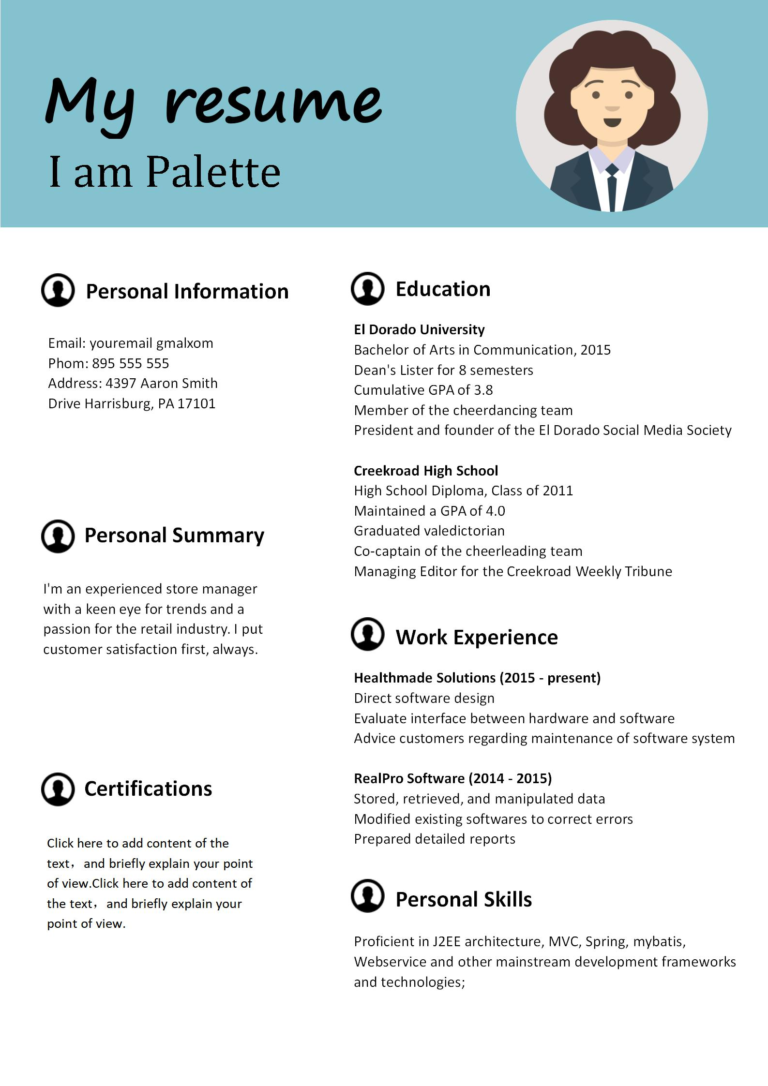
That two-column template with the sidebar, the skill bars, the icons next to your contact details — a human loves it. An ATS usually does not. Multi-column layouts scramble reading order, so the parser may read your skills sidebar first, your job titles last, and your dates in the wrong order. Graphics, icons, progress bars, and text boxes are often skipped entirely, which means the content inside them simply vanishes from your application.
Use a single-column layout with plain headings and standard bullet points. A clean, single-column document is the format every ATS handles without surprises.
Are You Missing the Exact Keywords the Job Posting Uses?
Applicant tracking software ranks resumes partly by keyword match, and it is literal about it. If the posting asks for “customer relationship management” and your resume says “client handling,” the software may score that as a miss, even though a human would know they mean the same thing. This is not about stuffing your resume with buzzwords. It is about mirroring the employer’s own language for the skills you genuinely have.
Read the posting and highlight the repeated nouns: the tools, the qualifications, the exact job titles. Then use those same words in your skills section and in your bullet points — honestly, and only where they are true. One practical test: check whether the five most repeated skill words in the posting appear in your resume. If two or more are missing, add them where they belong.
Are Your Section Headings Confusing the Parser?
The ATS sorts your resume by its headings, and it expects the standard ones: Work Experience, Education, Skills, Certifications. Creative headings like “My Journey,” “What I Bring,” or “Career Story” can leave the parser unsure where your experience lives — and an unsure parser files your experience under nothing.
Keep your headings boring and standard. “Work Experience” beats “Professional Journey” every time. “Education” beats “Learning Path.” “Skills” beats “My Toolkit.” Recruiters skim standard headings faster, too, so this fix helps you twice: once with the machine, once with the human who reads what the machine passes through.
Is Your Work History Buried in Tables, Columns, or Text Boxes?
Tables look tidy on screen, but many parsers read them row by row in the wrong order — or skip them outright. Text boxes and floating shapes are worse: their contents often never make it into the parsed text at all. The result is a resume that looks complete to you and arrives half-empty to the employer.
Keep your work history in plain paragraphs and bullets, in a single column, with no tables for layout. Dates should sit on the same line as the job title or directly beneath it in plain text, not floating in a separate column.
Are Dates and Job Titles Formatted So the ATS Misreads Them?
The parser uses dates to build your timeline and check for gaps, and unusual date formats confuse it. “Spring ’23,” “03/23,” and “Mar 2023 – Present” are not all read equally — abbreviations and missing years can produce errors, or blank fields, in the parsed version of your resume.
Write every date the same way: month and full year, like “March 2023 – Present.” Put your job title first, then the company, then the dates — and keep that order identical for every role. Consistency is what the parser rewards.
Did You Forget the Skills Section the ATS Scores First?
Many candidates weave their skills into bullet points and never list them separately. The problem: keyword scoring often starts with a dedicated skills section, and if it is absent, the software may score your resume lower even when the skills appear elsewhere in the text. A clear skills section is the cheapest ranking boost an applicant tracking software resume can get.
Add a “Skills” section near the top, below your summary, listing the tools and qualifications the posting asks for — the ones you actually have. Keep it to one or two lines of plain, comma-separated terms. No ratings, no stars, no bars: “Python, SQL, Excel, Data Analysis” is exactly what the parser wants to see.
How Do You Test Your Resume Against an ATS Before Applying?
Do this five-minute check before your next application. First, save your resume as.docx and open it in a plain text editor — if the text appears in the right order with nothing missing, the parser will see it too. Second, search the plain-text version for your five most important keywords from the posting; if any are absent, add them honestly. Third, confirm your headings are the standard ones and your dates all follow the same format.
That is the whole test: five minutes, no cost, and it catches nearly every mistake on this list. Run it for every application you care about — a resume that passes the machine earns the chance to be judged by a person, and that is the only audience that can actually hire you.
ATS Resume Mistakes at a Glance
| Mistake | Fix |
|---|---|
| Unreadable file format | Send a .docx or a text-based PDF created from Word or Google Docs |
| Fancy multi-column template | Use a single-column layout with plain headings and standard bullet points |
| Missing the posting’s exact keywords | Mirror the employer’s exact skill words, honestly, only where they are true |
| Creative section headings | Use Work Experience, Education, Skills, and Certifications |
| Work history in tables, columns, or text boxes | Keep work history in plain paragraphs and bullets in a single column |
| Inconsistent date formats | Write every date the same way, month and full year, for example March 2023 to Present |
| No dedicated skills section | Add a Skills section near the top with plain, comma-separated terms from the posting |
Keep reading on GrowthSpot: how resume mistakes differ by experience level, the 5-second resume test, and how to find resume keywords in a job posting.
Frequently Asked Questions
Can applicant tracking software reject my resume automatically?
Yes. Most systems rank applications and recruiters review from the top down, so a resume the parser cannot read often sits so low it is never opened. A clean, standard format is your best protection.
Is PDF or Word better for an applicant tracking software resume?
Both work when they are text-based, but.docx is the safer default because every major parser handles it reliably. If you use PDF, export it from Word or Google Docs and check you can select the text with your mouse. Never send a scanned or image-based PDF.
Do I need to use the exact keywords from the job posting?
Use the posting’s exact words for skills and qualifications you genuinely have. The software matches literally, so a synonym may not count. This is not keyword stuffing — it is translating your experience into the employer’s language.
Should I pay for an ATS resume checker?
Not necessarily. The manual five-minute test in this article — plain-text, keyword, heading, and date checks — catches the same problems most paid tools flag.